
Find a pattern without forcing one
Read pace, racing rhythm, competition and K1 score in the right comparison context.
Five ways to look at your history
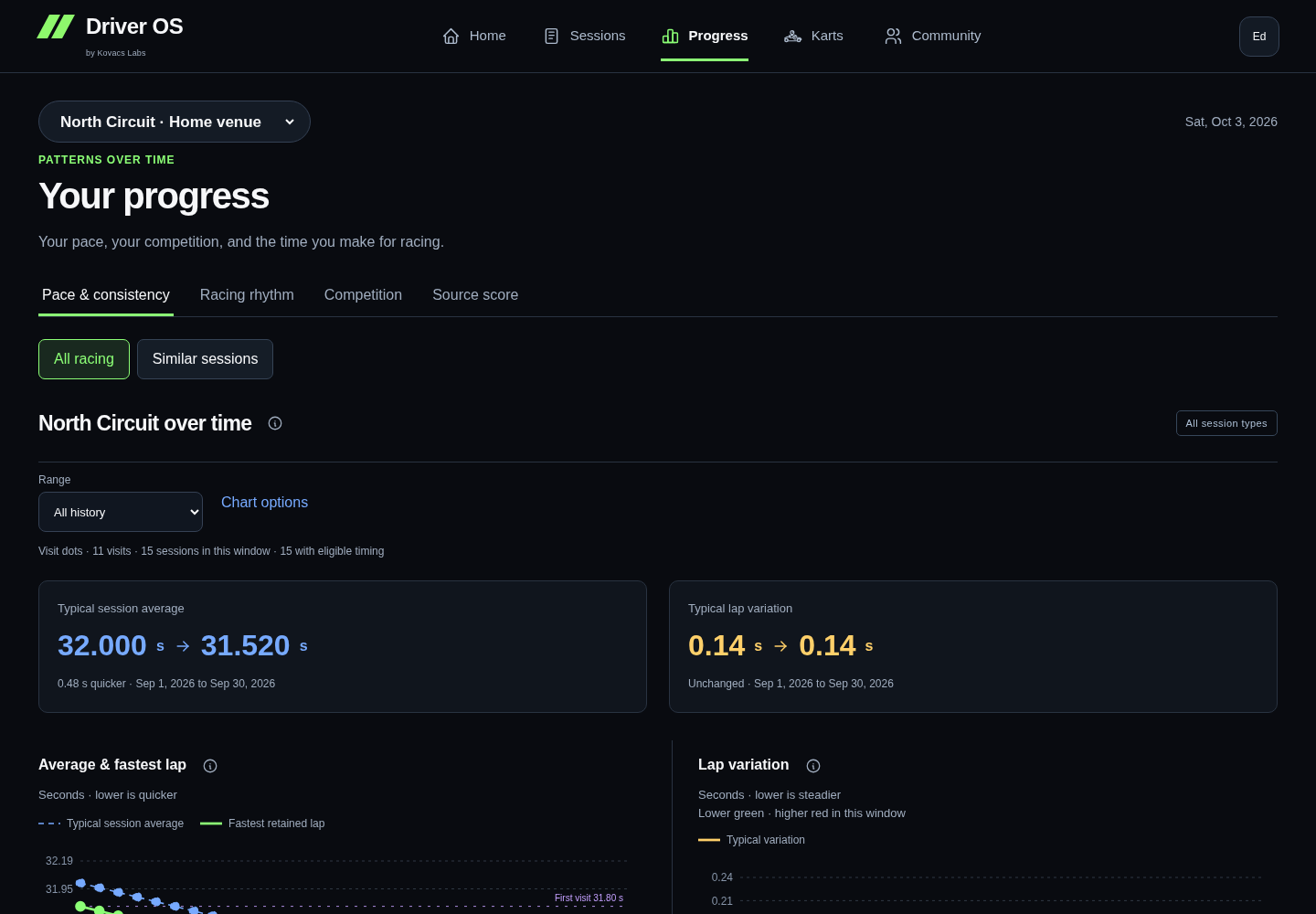
Pace & consistency opens with every recorded session type at the selected venue. Average and fastest-lap lines show your history; variation shows how closely your retained laps group together. Use the compact All time · 1 year · YTD · 6 months links beneath Recorded pace & consistency. YTD starts on January 1 of the reporting year. Dense histories automatically group into monthly points. Open a visit to inspect its source sessions.
Use Matched contexts for narrower comparisons within a recorded venue, layout, class, fleet and session purpose. The main venue timeline describes observations across different formats and conditions; a quicker window does not establish why you were quicker. Choose a single venue to see lap seconds.
Racing rhythm shows how often you race. It opens on the current month, even when that month has no recorded visits. Use the previous/next arrows to move between months, including across years, or Current month to return to today. You can also choose a year and month. The calendar starts with a whole-month summary; choose a day to preview it beside the calendar, then open its visit if you want the detail. Quantity and pace are different signals. The legend explains the selected context's personal-best and slowest markers. A blue border and checkered flag call out recorded competition days. These use a saved league/endurance event or Heat, Race, Final or Endurance stint type; the marker does not imply a win or assign a missing session type.
Competition separates fastest-lap ranking from finishing order and reports field evidence only when it was supplied. A result in a stronger documented field can have a different meaning from a fastest-lap rank in an arrive-and-drive session. Missing field evidence stays unknown. DNF, DNS and DSQ stay visible when timing comparisons exist. A difference to the quickest best lap is a timing fact, not a finishing deficit.
Racing gives your explicitly linked GPs their own page. Open it from the Progress tabs, Home's compact GP entry, or Racing overview in Sessions. It starts with your latest GP's recorded stages, then shows pace, best laps and positions across your event history. Use the compact GP picker to find a date or event name; choose a layout or stage when needed. Your recorded venue, layout revision, class, stage and fleet remain separate. Dashed timing lines link recorded observations and do not establish a performance change. Three distinct comparable GP dates are needed for a comparable trend; two GPs remain a comparison only. Missing sessions remain gaps, and repeated sessions stay separate.
Qualifying and race timing compare different sessions. When a GP has several qualifiers, each remains a separate recorded observation in its history and timing comparisons; no official combined qualifying rank is created. A personal best across qualifying runs summarizes supplied lap timing without replacing individual runs or source placing. Previous-GP summary changes require timing for every qualifying run and complete matching context across both GPs. Previous-GP comparisons list each session separately when stage counts differ or multiple sessions are recorded. A qualifying rank never supplies the grid. Net places require a confirmed classified finish and retain the source or driver-recorded origin of the starting grid; they do not count overtakes. Finish order, fastest-lap rank, unknown ranking basis and DNF/DNS/DSQ remain distinct. Best lap, retained pace and source all-lap average retain their separate meanings; Racing never changes recorded lap exclusions or infers a finishing deficit from source Gap.
Compact previous-GP widgets appear above the stages; a change is shown only with complete matching context. The full-width field view uses validated anonymous summaries from one selected session, with your value, other-driver mean and difference aligned above a compact distribution. Field fastest is a separate reference; means exclude you. Unavailable field metrics stay hidden. If another session has field evidence, you can select it; the current session uses a short note rather than an empty plot. Means are never borrowed from a different session. Scores remain descriptive context, not an expected finish. Possible repeat opponents, where available, stay within one recorded visit; names are never joined across GPs. Source-session links return to the selected Racing GP. Existing permitted local video review stays in that source session; Racing adds no upload or player. Video analysis and synchronized replay are Coming soon. Demo GP histories are fictional; synthetic review examples never populate another account's real history.
Best recorded start and best classified finish use supported result evidence across all retained, explicitly linked GPs at the selected venue. They stay available independently of the selected GP or chart window; ordinal bests do not normalize different fields, layouts or classes. A current grid saved in Sessions also appears in its Racing stage and as a separate diamond in position history. Best grid · recorded by you keeps these observations separate from source-grid bests and confirmed finishes. Equal start and result positions keep distinct markers. Edits and clears follow the latest saved revision; stale observations stay out of the charts and bests.
The qualifying/race comparison keeps every recorded stage visible with separate best-lap and source-average scales. Position charts span the recorded field and color each supported position within that field, while preserving its original number and status. Missing evidence stays out of the main metrics; information buttons explain the available scope.
K1 score uses the shared All time, 1 year, YTD and 6 months links. YTD starts on January 1 of the reporting year and ends at the reporting date. Your recorded scores share one green line per year, with annual reset breaks. The dashed blue line is the mean of other drivers’ scores in that same recorded result, excluding yours. It appears only for complete, verified US K1RS fields with a matching owner score; missing, solo, partial and unknown-system fields remain gaps. Older source metadata stays available in each point without splitting your personal line into categories. Scores describe source results, not normalized skill. Recorded points are evenly spaced; long calendar gaps retain their actual dates and day counts. Range filters never change your records.
When a chart needs more
One real point can be a baseline. A trend needs more comparable evidence. A missing source value is different from having too few visits; the message tells you which applies.
Unknown layout or class can still allow a descriptive view of recorded values, but does not support a confident personal-best claim. Changing a filter never changes the underlying result.
What a slower day cannot tell you
Timing alone cannot establish whether traffic, driving changes or kart condition caused a slower visit. Add useful observations to the session, and keep the explanation separate from the measurement.
Open Progress ↗ · Review the source session · Choose your next action
Choose the chart window
The horizontal date links change the shared window for pace and variation. Visit or monthly aggregation is automatic. Sample counts and missing values stay visible. Open the adjacent information button for definitions and the historical baseline. Similar sessions keeps recorded contexts separate; missing context is not evidence of an unchanged layout or fleet.
Private active plans appear as blue outlined calendar markers, including dates with no recorded sessions. Select one to see its local date, time and venue, then View plan. Plans never add to recorded visits, session counts or performance marks.
Sessions and Competition share All visits / Race days, defaulting to All visits. Race days includes recorded league/endurance events, race roles, and practice or qualifying explicitly linked to those events. Other sessions on the same date remain separate. The filter is private browsing state for this account, Demo generation and venue; it does not edit session purpose.
Racing uses the same compact All time / 1 year / YTD / 6 months history links. These scope the charts; the GP picker keeps the full recorded history available, and your selected GP and source sessions stay available. Qualifying leads with best recorded lap, while races lead with recorded placing or terminal status. DNF, DNS and DSQ remain visible in GP history.
Previous interface referencePreserved guidance · 2026-09-28
Progress in the driving notebook
Use Pace & consistency, Racing rhythm, Competition and K1 score for different questions. Pace compares compatible recorded visits. Rhythm shows the first imported date and visit frequency, with month and day detail; a gap in imported records does not prove you did not race. Timing highlights apply to the selected comparable group and period.
Competition reviews one recorded field at a time. A finish and a fastest-lap rank remain distinct. Complete source-supplied scores describe the field; post-session scores do not predict where you should have finished. K1 score keeps supplied US K1RS/RPM snapshots within their annual period. Dated public references stay separate from your result.
Karts is a main destination. Repeated uses can show usage and compatible shared-date timing; single uses and unknown numbers remain accessible. These personal associations do not rank mechanical quality. Compare visits and session comparisons compare two compatible parts of your own history. If class, layout version or other comparison context is missing, you can still review the two recorded summaries side by side; pace deltas stay unavailable.
The detailed tools below remain available from More tools, with their existing filters, layouts and source inventories.
Pace, results and kart history
In the wide review, use Pace & results for comparable driving trends or Karts by venue for recorded kart numbers. Karts is also a main desktop destination and the first item in mobile More, backed by this same notebook. Home shows recent numbers for the currently selected venue and a route to full history. Temporary venue changes leave your optional home-track preference unchanged; All venues keeps separate venue groups. The summary uses all loaded dates and purposes at that venue, independently of chart filters and optional saved widgets.
Kart history separates the same number by venue, known fleet and racer class, and leads with recent uses among recurring numbers. Each number shows its last-used date and recorded use count. Unknown fleet/class stays separate. Single-use numbers and venues with no recurring number start collapsed. The coverage count keeps sessions with missing numbers visible. Two recorded uses make a number worth following; they do not establish a performance pattern.
Expand Pace, consistency & comparisons for personal timing and variation. For a kart with same-date comparisons, colored cells show the difference between your representative pace in that number and your other recorded numbers on the same date. Green is quicker and amber is slower, with the difference in seconds written in each cell. The latest six shared dates are shown; earlier dates remain in Comparison details & sources. If there is no same-date comparison, the small bars show recorded use counts instead of implying a pace trend.
Comparisons keep layout, racer class, session purpose, Event format and fleet separate inside each venue. Other contexts are expandable; their times are never pooled. At least three shared dates within one comparison context are needed to describe a repeated direction. Number reuse, conditions, session order and driver development remain uncontrolled. These observations do not prove a kart effect. All recorded uses shows linked sessions, available personal notes/tags, and per-session results against the recorded field. Supported field-best gaps and complete anonymous field-rating snapshots are shown with coverage; missing or conflicting evidence remains unavailable. Field sizes and opponents are not pooled into a kart score. Personal notes describe observations, not established mechanical causes. The paginated source table keeps the full evidence accessible.
Saved kart recordings shows uploaded Watch/phone session-context numbers. A unique recording within three minutes of resolved official timing is combined automatically in C when no competing race, recording or conflicting kart decision exists. Its source stays labelled Recording time match. Matches describe an association; they do not establish a kart effect or align sensor samples to laps.
Phone/Watch quick selections are also shown separately from timing-linked assignments where available. A saved capture, a cloud-delivered recording and a verified timing link are different states. These inventories do not add sessions or lap measurements to the charts. An unavailable cloud inventory does not mean a selection was never saved.
Additional evidence from C
Below the comparable trend charts, More progress evidence names the existing Competition & placements, Field ratings & time patterns, Achievements, and Overall pace & saved Progress analysis views. These detailed tools retain their layout and a Return to review action. Competition, field/time evidence and overall pace keep the selected venue, exact track/layout, vehicle/fleet, timeframe, purpose and Event context where those filters apply. Achievements are clearly labeled as career-wide. Opening a saved-analysis view does not request a new explanation.
What Progress helps you answer
Progress opens with your overall driver story. It helps you see whether pace, repeatability and outcomes are changing across your saved history without pretending that raw lap seconds from different tracks are comparable.
Before you compare
In the wide review, use the visible venue and purpose controls, then expand More filters when you need an exact track/layout, vehicle/fleet, timeframe or other recorded context. A league final, qualifying run and endurance stint answer different questions. Driver OS keeps their comparisons separate, including when they share a date and track. Ordinary history does not need an Event assignment.
Open Sessions first and make sure the result, track, class and useful context are correct. A comparison is more useful when the sessions describe the same kind of driving.
Pace and Competition
Pace covers same-layout lap times and repeatability. Expand a comparison group for its graph; other groups stay compact. Competition leads with recorded race history and shows what each position means. Metrics without eligible evidence are omitted from the main summary; Comparable results & coverage explains the gaps. A P1 ranked by fastest lap is kept separate from a finishing-position win. An unknown ranking basis stays unknown and does not remove the session's lap evidence.
Wins and podiums need a Race or Final, explicit finishing-position basis and final classification with the number of starters. Wins require at least two starters; podiums require at least three. Known DNF or disqualification outcomes remain in the eligible denominator; DNS does not. Fastest-lap P1 and top-three counts have their own denominators, with at least two and three ranked drivers respectively.
Open Comparable results & coverage to see separate layout, class, purpose, vehicle and ranking groups. Unknown classification is its own group, so a newly classified session may have fewer comparable earlier visits. Existing ambiguous result awards appear as Legacy result milestones. They remain part of the journal without certifying a win or podium.
An observed field rating describes a complete anonymous field snapshot. Ratings can be recorded after the session. Driver OS does not turn them into an expected finish or label a field strong based on unrelated tracks.
Read Progress in this order
- Confirm the selected history. Clear filters for all driving, or narrow to a venue, exact track/layout, vehicle/fleet and timeframe. The selection follows you into the named detailed Progress tools.
- Read the plain language overall summary before the chart.
- Check how many tracks have repeat visits and which newer tracks are still baselines.
- Compare representative pace and variation with the raw same-track session evidence still available.
- Treat confidence and unavailable states as part of the result.
Home previews activity and venue history, with the most visited venues first and a route to the rest. Each venue keeps its recorded comparison contexts accessible, including ordinary visits, Practice, Qualifying and Race where present. A single-date context is a compact baseline; repeated comparable dates can support a small trend chart. These previews are not an overall pace score. Progress retains the wider history and full comparison evidence.
This synthetic Progress view shows the order that keeps a summary tied to comparable evidence.
 01 / 03CONFIRM THE SCOPE
Check the range and the sessions included in the comparison.
Read the demo transcript
- CONFIRM THE SCOPE: Check the range and the sessions included in the comparison.
- READ THE PATTERN: Use representative pace and variation together instead of chasing one lap.
- CHECK THE SUPPORT: Confidence and unavailable states tell you when another comparable session is needed.
What the common states mean
- Not enough comparable evidence means the honest next step is another similar session.
- Overall pace direction counts first-to-latest changes inside each repeated track. Each line uses a percentage from that track's own best representative pace and is never joined to another track.
- More repeatable means lap-time variation narrowed after it was normalized by representative lap time at that track. It does not automatically mean the fastest lap improved.
- Current peaks counts repeated tracks where the latest representative pace matched that track's best. It does not compare lap seconds between tracks.
- Experience built summarizes visits, races, tracks and retained laps without treating volume as improvement.
- Baseline means that track has one visit, or not enough representative evidence, so it is kept visible without claiming a trend.
- Milestone marks a durable event in the saved record, not a prediction.
When real lap seconds appear
Choose an exact track in Driving View to switch Progress to its real best-lap seconds and same-track variation. Vehicle or fleet views also use real seconds when all matching history belongs to one comparable track; if they span multiple tracks, they stay normalized.
The optional saved AI analysis remains a separate same-track interpretation. It does not explain or replace the deterministic overall chart.
What to do with a pattern
Choose one observation you can act on. If the evidence is thin, make the action about collecting a cleaner comparison. If the pattern is stable, carry one focused target into Coach.
Review the supporting session Choose the next action Understand the calculations
Saved page layouts
In the wide review, expand Saved layout & optional Progress widgets, then choose Customize Progress to show, hide or reorder the existing observations, pace trend and route to Coach. These optional widgets preserve your saved choices and their existing calculations. The wide review’s main review, comparison evidence and retained coaching focus remain available. Save the layout to your account, or reset to default and save. A layout choice never changes a calculation or enables raw-time comparisons across different tracks.
Placements and field context
Competition shows recorded positions with field size, separated by purpose, layout, class, vehicle and ranking basis. One race is your baseline. Open the qualifying or practice group to follow those results too. Browse Events opens the same Event review available under Sessions → Events & session setup in C.
A result such as P9 of 12 is its imported placement. How results are counted explains any missing ordering method. K1 driver ratings are separate from result positions; anonymous ratings can describe an observed field but do not establish finishing order. Unconfirmed positions do not become wins or podiums.
Field + Time opens the most recent comparison group. Use its visible Compare sessions selector to switch groups on that page. Results stay within each group; limited or missing evidence remains labeled.
Review recording-start kart numbers
Matched recordings contains automatic time matches and explicit confirmed links. Expand it to inspect the race and original recording. For a time match, Review or change match → Confirm kart link retains the chosen association in your account. Automatic matches are recalculated from loaded history; opening the page does not save or change your records.
When a match needs your help, use Choose the race to link, select the official result and choose Confirm kart link. The picker shows date, venue, time and any unavailable-choice reason. The result can already have purpose/Event context: confirming the kart preserves that context, its notes and the original recording. Existing conflicting kart decisions are protected. A failed save keeps the picker open with an error; success shows Confirmed recording link.
Recordings within 45 minutes of a reported timing result appear first for review. The check uses recorded clock offsets and venue timezones, including daylight-saving changes. Same-date evidence with an unknown clock is labelled separately and never auto-matched. Automatic matching requires a unique recording within three minutes and no other result within eight minutes.
No timing day found is collapsed automatically. It means no matching day was found in loaded history, which can be incomplete; the recording is retained. If you recognize a test, choose Dismiss as test. Dismissed recordings → Restore to review reverses this. Dismissals are saved for this account in this browser; they do not delete the recording or raw evidence, and do not sync to other devices. Confirmed saved links are not dismissible as tests here; review their kart decision in the session.
Recording details opens the original record. This is separate from confirming the kart against official timing. A Watch/phone selection not yet delivered to the cloud cannot appear in this review. Selecting a kart without starting telemetry follows the native Quick Kart path, separately from saved recording context.
Relevant history filters
Venue and the core driving purposes stay easy to reach. More filters offers Track / layout, Vehicle / fleet and Timeframe when relevant. Timeframe ends on the newest recorded date in the selected driving history: choose All history, Last 30 recorded days, Last 90 recorded days or Latest recorded year. Undated records remain in All history. Event membership appears directly when your loaded history contains Events or an Event filter is selected; otherwise it is under More filters. Unused Endurance filtering is also available there. Recorded or selected specialist purposes remain accessible, including when a selection has no matching results. All-history views still include every driving context.
The two Home history charts
On Home, Beyond the last session pairs representative pace with lap variation for the same comparison group. Pace uses a zoomed scale; lap variation bars start at zero, with lower values meaning tighter lap times. Both use existing session medians for each recorded date. Open Values & calculation for the numbers and limitations. Missing values stay unavailable, and a single date stays a compact baseline. Changes in conditions or karts are not controlled, so the charts alone do not establish why a result changed.